
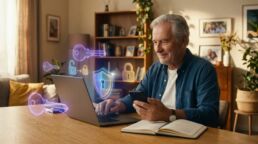
Leaving the Notebook Behind: A Senior’s Guide to Passwords and Passkeys
As our lives increasingly move online, managing digital identities has become a universal frustration. Between banking portals, healthcare providers, Medicare accounts, and social media platforms, the average senior is expected to maintain dozens of unique login credentials. For decades, the standard advice was to create complex passwords containing numbers, symbols, and mixed-case letters. However, this expectation has led to dangerous habits: reusing the same simple password across all websites or keeping a physical notebook of passwords next to the computer. Today, modern cybersecurity offers safer, much easier alternatives tailored for older adults.
Relying on a single, easily memorable password like a grandchild’s name or a birth year is a significant vulnerability. If a cybercriminal breaches one website—such as a local retailer or an old email provider—they will immediately attempt to use that same password to unlock your high-value accounts, like online banking or retirement portals. Conversely, storing a physical notebook of passwords creates a physical vulnerability, particularly if you travel, have service workers in your home, or misplace the book entirely.
The simplest and most secure evolution in account protection is the transition to “Passkeys.” A passkey eliminates the need to remember a typed word entirely. Instead, it securely links your account directly to your personal device, such as your smartphone, iPad, or computer. When you attempt to log in to an account that supports passkeys, the website simply asks your device to verify it is really you. You then use the same method you use to unlock your phone—usually a quick fingerprint scan, a glance for facial recognition, or entering your device’s short PIN code. This technology is highly resistant to hacking because there is no typed password for a cybercriminal to steal or guess.
For websites that do not yet support passkeys, adopting a digital Password Manager is the safest approach. Applications natively built into your devices—such as Apple’s iCloud Keychain on iPhones and iPads, or Google Password Manager on Androids—act as secure digital vaults. You only need to remember one strong “Master Password” (or use your fingerprint or facial recognition) to unlock the vault. The software then automatically generates, stores, and fills in complex, uncrackable passwords for every single website you visit.
Additionally, activating Two-Factor Authentication (2FA) is vital for sensitive accounts. 2FA acts as a secondary digital deadbolt. Even if a hacker miraculously obtains your password, they cannot access your bank account without the secondary code sent directly to your personal mobile phone.
By embracing built-in device security like fingerprint scanners, trusting native password managers to remember complex codes, and turning on two-factor authentication, seniors can drastically reduce their digital anxiety. Devices are now fully equipped to handle the heavy lifting of modern digital security.