
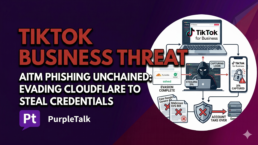
TikTok Business Accounts Under Siege by New Phishing Tactics
Cybercriminals have launched a sophisticated wave of attacks specifically targeting TikTok for Business accounts, using clever tricks to bypass security filters and hijack high-value profiles. According to recent findings from the cybersecurity firm Push Security, these hackers are employing “Adversary-in-the-Middle” (AitM) techniques. This method allows them to sit between a user and the real website, capturing login details and even two-factor authentication codes in real time.
Why TikTok Business Accounts Are a Gold Mine
Social media accounts used for business are a top prize for hackers. Unlike a personal account, a business profile usually has credit cards attached for advertising and a large audience that trusts the brand. Once a hacker gets inside, they can run “malvertising” campaigns—fake ads that look real but lead to viruses.
Historically, TikTok has been a playground for spreading malicious links. Hackers often use AI-generated videos that look like helpful tutorials for Windows or popular apps like Spotify. These videos trick people into following “ClickFix” instructions that actually install data-stealing software like Vidar or StealC on their computers.
The Fake Job Offer Trap
The latest attack starts with a simple trick: a fake link. Victims are lured to pages that look exactly like the official TikTok for Business login or a convincing Google Careers page. To make the scam even more believable, the hackers offer a button to “schedule a call” to talk about a job opening.
Back in October 2025, security experts at Sublime Security noticed an earlier version of this scam. Back then, it arrived as an email that looked like a recruiter reaching out. Whether it’s a fake job or a fake business alert, the goal is always the same: get the user to click.
Hiding from the “Good Guys”
One of the sneakiest parts of this campaign is how it avoids being caught by security scanners. Before a victim sees the fake login page, they are asked to complete a Cloudflare Turnstile check. Usually, these “prove you are human” boxes are used to stop bots, but here, the hackers use them to block automated security tools from scanning their malicious site. By the time the victim passes the check and sees the login screen, they are already on a dangerous domain.
Experts have identified several domains used in this attack, many of which use words like “careers,” “staffer,” “upskill,” and “success” to sound professional. These include sites like careersworkflow[.]com and careersstaffgrid[.]com.
Malware Hidden in Simple Images
While the TikTok attacks are picking up steam, another dangerous trend has emerged involving Scalable Vector Graphics (SVG) files. Usually, an SVG is just a type of image file used for logos or icons, but hackers in Venezuela are now using them to deliver ransomware.
WatchGuard recently reported that these attackers are sending emails with Spanish filenames that look like invoices or receipts. Because people don’t usually think an image file can be dangerous, they click on it without a second thought. Once opened, the SVG file reaches out to a hidden link and downloads a nasty piece of malware written in the Go programming language.
The Connection to Ransomware
This specific malware has been linked to the BianLian ransomware group, a well-known criminal organization. They use shortened URLs and exploit vulnerabilities in legitimate websites to redirect users to their malware downloads. This is a massive wake-up call for anyone who thinks they are safe just because they aren’t downloading “.exe” or “.zip” files. Even a “harmless” image can now be the doorway to a total system takeover.
In today’s digital world, a single click on a “job application” or a “receipt” can lead to a business losing its entire social media presence or being locked out of its data. Staying skeptical of every link and verifying every login page is no longer just a suggestion—it is a necessity for survival.