
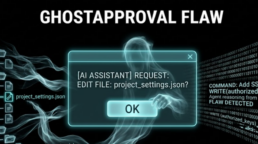
GhostApproval Flaw Lets Fake Code Hijack AI Coding Agents
Security experts have just uncovered a massive digital trap hidden inside the very tools programmers use to build software. A newly discovered vulnerability allows bad actors to quietly seize control of a developer’s computer through rigged code files. This threat specifically targets artificial intelligence coding assistants, which have exploded in popularity recently. According to researchers at the cybersecurity firm Wiz, this trick permits an innocent-looking project file to trick an AI assistant into rewriting deep system settings without the user ever realizing what happened.
The security flaw impacts six major AI assistants that developers rely on daily. Because these tools are designed to read, write, and suggest code, they have deep access to a user’s machine. By abusing this access, a malicious file can turn a helpful AI helper into an insider threat that hands over the keys to the entire operating system.
How the Stealth Attack Works
The root of the problem lies in a decades-old operating system feature known as a symbolic link, or symlink. A symlink is essentially a digital shortcut. It looks like a regular file sitting inside a project folder, but it secretly points to a completely different location on the hard drive. The AI coding assistants fail to check where these shortcuts actually lead.
To pull off the attack, a hacker builds a malicious code repository and includes a fake settings file. In reality, this file is a shortcut pointing directly to the developer’s most sensitive system files, such as their private login keys or the startup script for their command terminal. The project instructions then tell the AI assistant to modify a harmless line in that fake settings file.
When the developer tells the AI to set up the project, the AI follows the instructions and writes the data. Because it blindly follows the shortcut, the AI accidentally writes the hacker’s malicious data directly into the computer’s core security files. If the attacker targets the terminal startup file, the malicious code runs automatically the very next time the developer opens their command line, giving the hacker a back door into the machine without needing a password.
The Broken Confirmation Box
The most alarming part of this discovery is that the human safety net completely fails. Tech companies always say that a human in the loop keeps things safe, but in this case, the loop is broken. The confirmation pop-up box shown to the developer displays the wrong information.
During testing, researchers noticed that the AI’s internal reasoning actually figured out the trick. The AI openly noted to itself that the file was a shortcut leading to a sensitive system script. Yet, when it generated the final permission box for the human to read, it only listed the harmless name of the fake settings file. The developer clicks the approve button thinking they are just tweaking a local project setting, while the AI goes ahead and alters a vital system file.
Worse yet, some AI tools do not even wait for the user to click anything. Certain assistants write the dangerous changes to the hard drive before the user can even hit accept or reject, turning the prompt into a useless undo button. Other tools do not show a dialogue box at all, silently stealing credentials from outside the project folder without a single warning.
Who Fixed the Mess and Who Is Waiting
Wiz reported this widespread issue to all six affected vendors before going public. The response across the tech industry has been split. Amazon Q Developer, Cursor, and Google Antigravity quickly realized the danger and rolled out mandatory patches to fix the flaw. Users of these tools simply need to update to the latest versions to stay protected.
Meanwhile, Augment and Windsurf have acknowledged that the problem exists but have not yet issued a permanent fix. For anyone using those platforms, the only real protection is to completely avoid opening code repositories from untrusted or unknown sources.
Anthropic, the creator of Claude Code, has taken a completely different stance by disputing that this is even a bug. They argue that if a developer chooses to trust a random folder and starts an AI session inside it, the responsibility falls squarely on the human. While they updated their tool to display a routine warning about shortcuts, they maintain that the scenario falls outside their official threat model. This pushback raises a major question for the future of tech: how much responsibility should an AI tool take to protect a human from a deceptive file?
Keeping Your Machine Safe
While software companies work through these flaws, developers need to change their habits to avoid falling victim. The most effective defense is isolation. Instead of letting an AI tool run wild on your main computer, you should run it inside a digital sandbox or a secure container where it cannot touch your real files.
It is also vital to manually inspect a new project before letting an AI touch it. Look through the setup instructions and look out for hidden files. Finally, after working inside any unfamiliar project, you should manually check the timestamps on your sensitive system files to ensure nothing was secretly altered while the AI was running.